
Not every link pointing at a site is a plus for rankings. Part of a link profile turns into dead weight over time: spammy directories, hacked sites, or pages that got hit by Google's own penalties. Here's when a backlink audit is actually worth doing, how to tell a genuinely toxic link from a harmless one, and how to safely build and upload a disavow file without doing the link profile more harm than good.
01 When a link profile audit is actually needed
Combing through every inbound link just for the sake of it isn't worth the time — it rarely changes anything in rankings. An audit is justified in a few specific situations: a manual action was received in Search Console for unnatural links, rankings dropped sharply and inexplicably with no obvious technical cause, the site has previously used low-quality paid links, or links from clearly irrelevant, suspicious sites are visible at a glance.
If none of that is happening and rankings are growing or stable, a light spot-check of the profile every six months is already enough of a precaution, without a deep review of every single link.
02 How to pull a full list of links
Start with as complete a list as possible — Search Console and third-party tools each see a different slice of links, and one source alone is usually not enough.
- The Links report in Search Console — a free, official source showing external links Google already accounts for;
- Ahrefs, Serpstat, Semrush — paid tools with their own databases, most of which include a built-in toxicity score for links and referring domains;
- Free, capped tools — some services let you check a limited number of links per day without registration, enough for a spot check but not a full audit.
The most reliable approach is combining data from two or three sources into one table — that shows the full picture and the overlap, rather than a skewed view from a single tool.
03 What makes a link toxic
Not every ugly or old link is dangerous. It's worth looking at a combination of signals rather than any single suspicious detail.
- A clearly spammy referring site — a directory linking to hundreds of unrelated topics, a doorway page, a hacked or abandoned site;
- An unusually high share of identical exact-match commercial anchors — a typical fingerprint of a bulk paid-link purchase;
- The referring domain is itself penalized — a sharp traffic drop or clear signs of deindexing on the source site;
- No topical connection at all — a link from an auto parts site to a legal services page with no context whatsoever;
- Bulk links from one IP or host — dozens of referring domains registered and hosted as if from a template.
04 Contact the webmaster first, or disavow right away
Disavowing isn't the first step — it's a last resort. Before disavowing a link, it's worth checking whether the site owner is realistically reachable and whether that's worth the time.
If the referring site is active, has contact details, and only has a small number of suspicious links, it's usually smarter to first ask the site owner to remove or replace the link — that's cleaner than a bulk disavow, and sometimes faster. If the site is clearly abandoned, hacked, or has no contact information at all, waiting for a reply is pointless — that link goes straight onto the disavow list.
05 How to build a disavow file correctly
A disavow file is a plain .txt file listing either specific URLs or entire domains whose links should be ignored. Per the official Google Search Console documentation, links should only be disavowed when there are genuinely many of them, they're clearly spammy or artificial, and they've either caused a manual action or are very likely to.
Technically, the file is simple: disavowing an entire domain uses a line like domain:example.com, while a single URL goes on its own line as-is. Uploading a new file for a site completely replaces the previous list rather than adding to it — worth keeping in mind if this isn't the first audit.
06 How to upload a disavow file in Google Search Console
The disavow tool isn't built into the main Search Console interface — it lives in a separate section for each verified property, where the specific site property the list applies to is also selected.
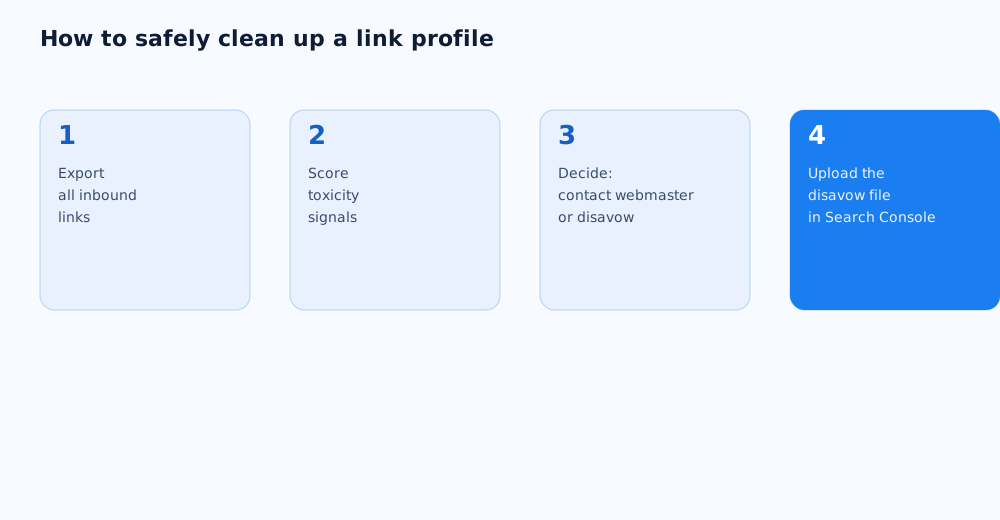
- Open the disavow links tool for the relevant verified domain;
- upload the prepared .txt file in full — partial updates to the list aren't supported;
- wait for the upload confirmation in the interface;
- expect Google to take a few weeks, not hours, to reprocess the list.
07 How to tell whether the cleanup worked
There's no immediate effect right after uploading a disavow file — Google notes that recrawling and updating the index to account for the list takes time comparable to a normal reindexing cycle. The result is best judged by a combination of signals rather than one metric: a manual action being lifted in Search Console, if there was one; a gradual stabilization or recovery of rankings on terms that had dropped for no technical reason; and no new unnatural-links warnings for several months after the cleanup. A broader look at the technical side of SEO that link work fits into is in our general SEO audit checklist, and how to safely build new links in place of the disavowed ones is covered in link building in 2026. If handling the link profile in-house feels too risky, this work can be handed to specialists via our SEO services page.
08 FAQ
How fast does a disavow file take effect after uploading?
Google doesn't give an exact timeframe, but reprocessing and accounting for the list during reindexing typically takes a few weeks. Don't expect a sharp, immediate change in rankings.
Can disavowing hurt a site?
Yes, if normal, topically relevant links get disavowed by mistake — that strips the site of some useful link equity. That's exactly why disavowing is applied only to links with clear toxicity signals, not to anything that simply looks unusual.
Is a backlink audit necessary if the site has never bought links?
Toxic links sometimes appear without the site owner doing anything — for example, from spam aggregators that link to random domains in bulk, or from negative SEO by competitors. A periodic check doesn't hurt even without a history of paid links.
How is a backlink audit different from link building?
Link building is about growing new link equity, while an audit is about reviewing and cleaning up the existing profile. They're complementary but distinct processes, and it's worth running them in parallel rather than treating one as a substitute for the other.
Do I need paid tools for a backlink audit?
No, the Links report in Search Console is free and shows the core set of links Google already accounts for. Paid tools are useful for a fuller picture and built-in toxicity scoring, but they're not required for a baseline audit.
Does a new disavow file fully replace the old list?
Yes, uploading a new file for a site completely replaces the previous disavow list rather than adding to it — on a repeat audit, the new file needs to include any previously disavowed links that are still relevant.