

Your Google Ads spend is climbing but leads aren't — the first thought is almost always "someone's clicking my ads." Sometimes that's true, and sometimes it's just seasonality, a weak ad, or shifting demand. Before touching the campaign, it's worth checking what Google already filters on its own, which signs point to genuine click fraud, and what you can actually configure inside the account instead of just filing a support ticket.
01 What click fraud is and what Google Ads already filters
Click fraud is the everyday name for invalid traffic: clicks and impressions with no genuine interest in the product or service behind them. Google groups bots, automated scripts, click farms, and repeated accidental taps under this label. Per Google Ads' own description, invalid traffic is activity that doesn't represent genuine interest in a business, and the system filters it in layers: real-time automated filters, machine learning models, and, for edge cases, manual review.
Clicks that Google catches and blocks before billing are never charged — they don't show up in your cost stats at all. The harder problem is the traffic that arrives slowly, by hand, and spread across many locations: that's exactly the kind of activity automated systems catch least reliably, which means it's on you to spot it in the account's own reports.
02 Five signs it's not just normal traffic swings
A rise in spend on its own proves nothing — seasonality, competitor activity, and shifting demand can all look the same from the outside. Genuine click fraud is worth investigating only when several of these signs line up together, not after one odd-looking day.
- Visits under 2–3 seconds with no scrolling or interaction — a click and an immediate exit.
- Traffic geography or language doesn't match the campaign's targeting settings.
- Repeated IP addresses, devices, or placements in the Display Network placement report or in your analytics logs.
- CTR jumps sharply while bounce rate and conversions stay flat or get worse.
- Clicks cluster at unusual hours — for example, overnight, when your audience is normally inactive.
03 How to spot it in Google Ads and GA4 reports
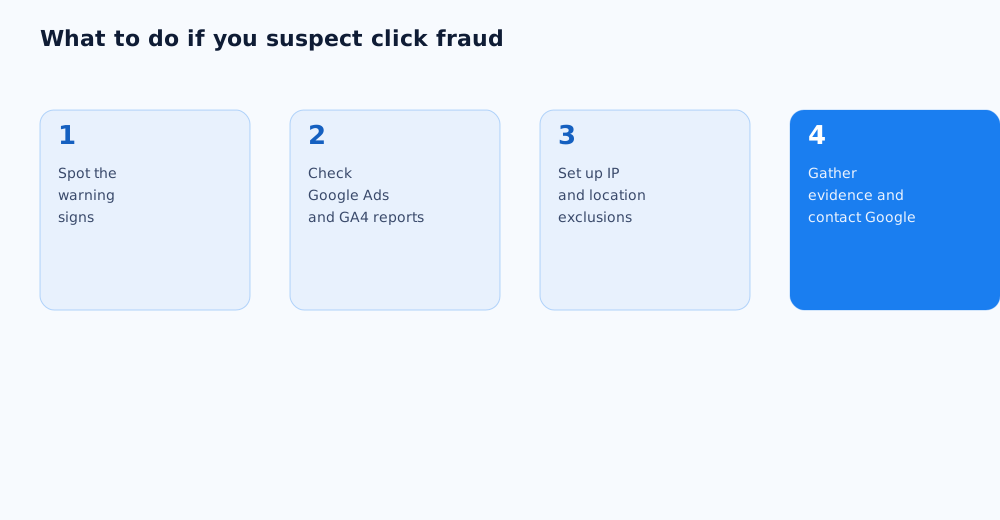
Diagnosis starts with data you already have, not a third-party tool. It's worth reading both sources together: Google Ads shows where a click came from, and GA4 shows what happened on the site afterward.
Inside Google Ads
The Placements report for Display campaigns shows which sites and apps served your ads — that's where you remove clearly irrelevant placements. Segmenting campaign reports by device and hour reveals whether clicks are bunching up in one narrow slice that doesn't match your actual audience.
Inside GA4
Engagement is what reveals the real picture after a click: if a specific campaign's share of engaged sessions is noticeably lower than other sources, and average session duration trends toward zero, that's a strong signal of invalid traffic rather than just a cold audience.
04 What to configure in Google Ads right now
Part of the defense doesn't require a support ticket at all — it's configured directly in the campaign interface, and it's the first move, not a last resort.
- IP exclusions — you can exclude up to 500 IP addresses per campaign once a suspicious source is identified; the exact steps are in Google Ads' help on excluding IP addresses.
- Placement exclusions — specific Display Network sites and apps generating suspicious traffic get switched off at the campaign or account level.
- Frequency capping — reduces the impact of repeated clicks from the same user or bot on the same placements.
- Narrowing geography and ad scheduling — useful when the anomalies are tied to a specific region or time of day.
05 How to document a case and contact Google support
Contacting support is worth doing once the data has built up over several days and the pattern repeats — not after a single odd day of statistics.
- Export the date range, campaigns, and ads where the anomaly is visible;
- save the list of suspicious IP addresses, placements, and active hours;
- screenshot the reports showing the CTR spike and the engagement drop;
- contact Google Ads support with this dataset and the affected campaign IDs.
06 Does Google refund fraudulent clicks — a realistic expectation
Don't expect a manual refund for every suspicious click. The main defense works automatically, before a click ever reaches your cost report: if the system classifies traffic as invalid, the account is simply never charged for it. By the time a click is already visible in your spend report, Google has, in most cases, already treated it as legitimate. Reporting a case with evidence improves the odds of a review, but it isn't a guaranteed or fast process — it's more realistic to treat it as an extra signal for Google than as a refund button.
07 Prevention at the account-structure level
Durable protection isn't built around individual incidents — it's built into how the account is structured in the first place. Regularly reviewing your negative keyword list closes off a share of irrelevant traffic before it ever turns into a click fraud suspicion; we cover that in detail in our guide to negative keywords in Google Ads.
The second layer of prevention is a periodic account audit: checking campaign structure, conversions, placements, and bids every one to two months lowers the odds that an anomaly goes unnoticed for weeks. The step-by-step process is laid out in our Google Ads account audit checklist. If there's no time to handle this in-house, account management can be handed off to specialists — see our services page for details.
08 FAQ
How can I tell if competitors are clicking my ads rather than bots?
It's nearly impossible to pin down the exact source without third-party tools — the anomaly itself matters more: repeated IPs or placements, short visits, geo mismatches. The motive (a competitor or automated fraud) doesn't change the response: exclusions, an account structure audit, and a support report work the same way either way.
How many IP addresses can I exclude in Google Ads?
Up to 500 IP addresses per campaign, and you can exclude entire subnets by replacing the last digits with an asterisk instead of listing single addresses. Details are in Google Ads' help on excluding IP addresses.
Does Google refund money for fraudulent clicks?
There's no direct "refund on request" in the usual sense. Google doesn't charge for clicks it filters automatically before billing; reporting a case with evidence can influence a review of that specific situation, but it isn't a guaranteed compensation mechanism.
How do I tell click fraud apart from just a weak ad?
With click fraud, CTR typically rises faster than the ad's actual quality changes, while engagement and conversions stay flat or drop. A weak ad usually produces a flatter picture instead: low CTR and low engagement together, without sharp spikes.
Do I need paid click fraud protection services?
For a small or mid-sized budget, Google Ads' built-in tools plus regular report checks are usually enough. Third-party protection services make sense for large budgets, an active Display Network presence, and dozens of traffic sources where manual monitoring takes too much time.
How often should I check an account for invalid traffic?
A reasonable cadence is a quick look at the placements and segment reports every one to two weeks, plus a full account audit alongside your other metrics every one to two months.