
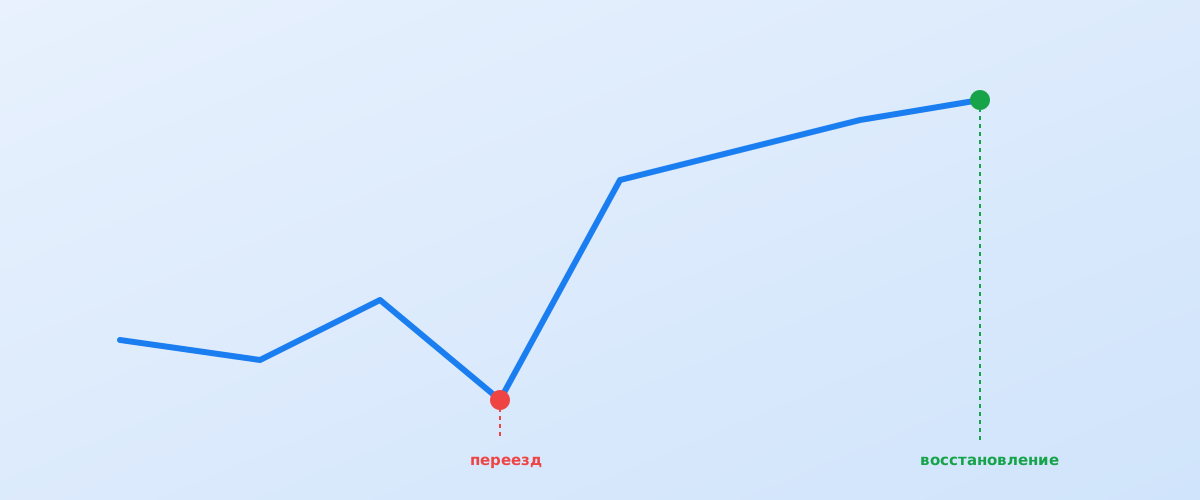
This is a composite, illustrative example built from situations that commonly come up when online stores change domains — it isn't tied to any specific client, brand, or niche. The goal here is to show the diagnostic and recovery methodology, not to report the results of one particular project.
01 The situation: what happens to traffic during a rough migration
A typical scenario looks like this: an online store switches domains — because of a rebrand, moving off an old platform, or merging several sites into one — and within one to two weeks organic traffic drops noticeably. Some pages fall out of the index, some product pages start returning a 404, and branded searches suddenly surface the old domain instead of the new one.
Based on what SEO practitioners commonly observe, a migration with no technical plan carries a real risk of a meaningful organic traffic loss in the first few weeks — write-ups of similar situations from various SEO agencies point to the same pattern. Below is how diagnosis and recovery typically play out in a situation like this, step by step.
02 Where diagnosis starts
The first move isn't panic or random quick fixes — it's gathering facts. Until it's clear exactly what broke, any change risks either doing nothing or making things worse.
- Compare the number of indexed pages on the old and new domain in Search Console's indexing report;
- check the status codes of key old-domain URLs — do they return a 301 redirect, or a 404/200 instead;
- overlay the daily organic traffic chart with the migration date to separate the migration's effect from seasonal swings;
- confirm the new site is added to Search Console and ownership is verified.
03 Common technical causes of the drop
In most similar cases, the drop isn't caused by one thing — it's a combination of several technical issues, each of which looks minor on its own.
Redirects set up only partially
The most common mistake is redirecting only the homepage and a few popular sections, while product pages and old categories point to a 404 or an unrelated page on the new site. Google recommends keeping redirects in place for as long as possible — as noted in the official Google Search Central guide to site moves, redirects should stay up for at least a year so the search engine has time to fully transfer accumulated signals to the new addresses.
Canonical tags and robots.txt still point to the old domain
If the page template was copied from the old site without a full review, canonical tags and internal links may still point to the old domain — which sends Google a conflicting signal about which version of the page is the real one.
The new sitemap was never submitted, and the old one is still live
Without an up-to-date sitemap.xml for the new domain, Google finds new URLs more slowly, and if the old sitemap keeps serving the old domain's URL list, that adds further confusion to indexing during the transition.
04 What gets fixed, and in what order
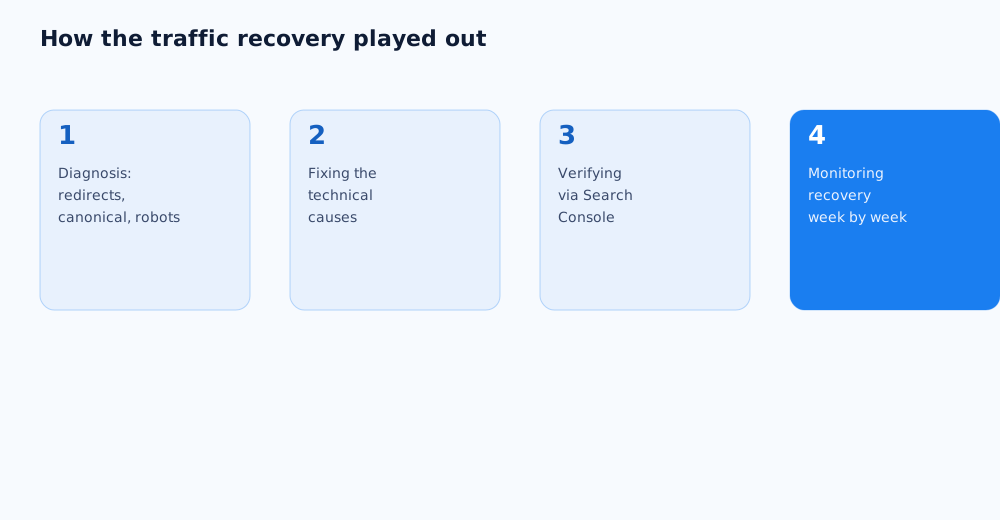
After diagnosis, fixes aren't applied at random — they follow an order that gets Google back to understanding the site's structure as quickly as possible.
- Set up a full one-to-one 301 redirect map from old URLs to new ones, rather than a blanket redirect to the homepage;
- remove references to the old domain from canonical tags, hreflang, and internal links;
- publish an up-to-date sitemap.xml for the new domain and submit it in Search Console;
- use the URL Inspection tool in Search Console to request recrawling of key pages.
05 What recovery typically looks like, week by week
Even with fast, correct fixes, traffic doesn't come back instantly — Google needs time to recrawl pages and re-verify redirects. In the first one to two weeks after fixes go live, indexing of most key pages usually returns, while rankings on competitive terms tend to recover more slowly — across various sources, a full recovery more often falls in the one-to-three-month range rather than days. The exact speed depends heavily on how quickly the technical causes were fixed and how long the domain had existed before the move.
06 What to expect — and what not to promise a client
An honest conversation with the client matters more than an optimistic promise here. It's realistic to expect traffic to return to its previous level once the technical causes are fully fixed and the domain hasn't lost search engine trust for unrelated reasons. What can't be promised is an exact recovery date or a guarantee that every previous ranking will hold — the final outcome is also shaped by competitor activity during that period and by Google algorithm updates that have nothing to do with the migration itself.
07 A checklist for a safe site migration
Most of the problems described above are avoidable if the migration is planned in advance rather than patched after the fact. A detailed technical launch and migration plan is covered in our SEO checklist for a website launch or redesign, which also includes a ready-made list of checks for launch day and the following weeks.
It's also worth deciding on the new domain and hosting well ahead of time, since that shapes how smoothly the move goes — the relevant factors are covered in how to choose a domain and hosting for SEO. If handling the migration in-house feels too risky, this work can be handed off to specialists — see our SEO services page for details.
08 FAQ
How much traffic is typically lost when moving to a new domain?
There's no single figure — the loss depends on how carefully redirects were set up and whether the domain's trust carried over. Rough technical mistakes can cause a significant loss; a carefully planned move with a full redirect map often produces only a small, short-lived dip.
How long does traffic recovery take after a migration?
Based on SEO practitioners' experience, it's more commonly a matter of weeks to three months rather than days. The exact timeline depends on how quickly the technical causes were fixed, the domain's age, and how fast Google recrawls the changed pages.
Is a 301 redirect mandatory when migrating?
Yes, it's the main mechanism for transferring accumulated signals from the old URL to the new one. Google recommends keeping these redirects in place for a long time — at least a year — so reindexing can complete fully.
Should the old domain be shut down right after the migration?
No, the old domain should stay live for at least a few months while external sites still link to it and while signal transfer through the redirects is still completing.
How do I know the traffic drop is actually caused by the migration and not something else?
Compare the date the drop started with the migration date and check whether it coincided with a Google algorithm update or a seasonal demand dip. A sharp drop that lines up exactly with the migration dates is a strong indicator of a technical cause.
Can traffic loss during a site migration be avoided entirely?
Eliminating fluctuations entirely is hard, but with a redirect map prepared in advance, verified canonical tags, and a sitemap submitted on time, losses can usually be kept to a minimum and a short window.