
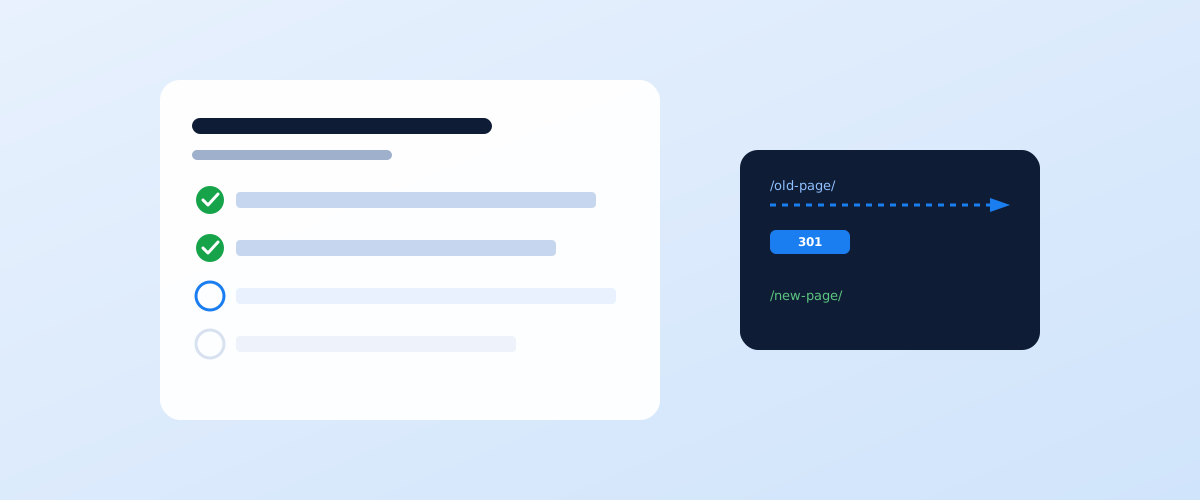
Launching a new site and redesigning an existing one are the two moments a business is most likely to lose rankings it has already earned, and rarely because of the content — usually because of technical details that are invisible to the eye. A site can look better than ever and still vanish from search for weeks. Below is a checklist that closes off the usual causes of that before they happen, not after.
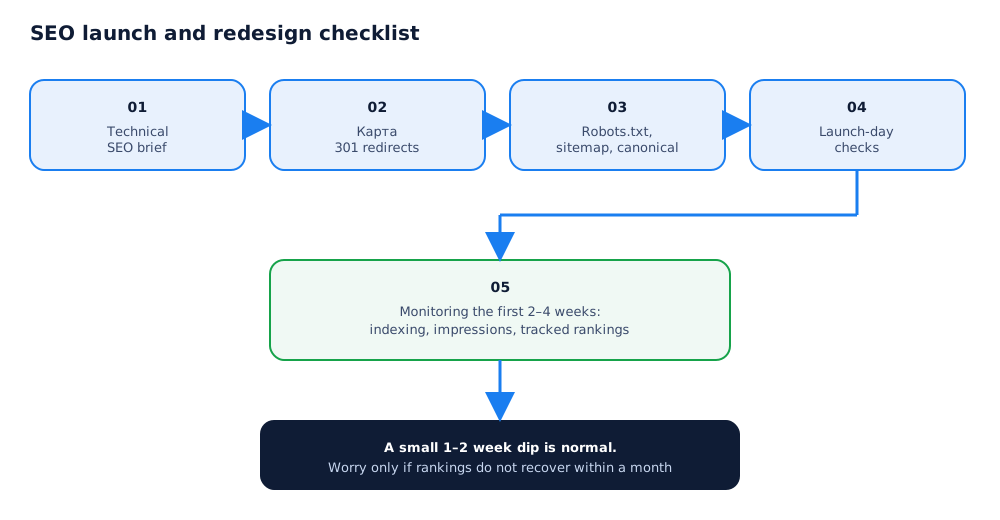
01 Why sites lose traffic during a launch or redesign
A drop in rankings after a launch or redesign is almost never about design quality or content — Google has no way to judge how good an interface looks. The cause is almost always technical, and in most cases it is the same pattern: old page addresses stop existing before the new ones exist for the search engine.
Three scenarios come up more than any others:
- Page addresses changed with no 301 redirects — the old URL returns a 404, and the page's accumulated equity and rankings reset to zero;
- Indexing got blocked by accident — a noindex tag or a robots.txt rule inherited from the staging site survives onto the live version;
- The content a page ranked for disappeared — the redesign shortened or rewrote the text, and the page no longer answers the query it used to.
Every one of these is prevented ahead of time, not fixed after traffic has already dropped. If rankings did drop and the cause is not obvious, the broader diagnosis is covered in why your site isn't ranking on Google — this checklist narrows that same list of causes down to the launch and redesign context specifically.
02 Before launch: a technical SEO brief for the developer
Most problems get baked in during development, when SEO requirements were never written down and the developer made the default calls. A technical brief closes that gap ahead of time.
The brief for the developer should cover at least the following:
- the staging version of the site is blocked from indexing with a password or a noindex meta tag, not just robots.txt;
- the URL structure matches the current one, unless there is a clear reason to change it;
- title tags, meta descriptions, alt attributes, and the H1–H3 heading structure carry over from the current site instead of being regenerated by CMS defaults;
- canonical tags on the new version are set correctly, with no accidental duplicates from URL parameters;
- load speed and the mobile version are checked before launch, not after users start complaining.
A written brief gives the developer clear acceptance criteria and removes the situation where "don't lose rankings" stays a verbal agreement with no concrete technical requirements behind it.
03 A 301 redirect map: how to build one
If the URL structure changes even partially, a redirect map is not optional. It is a table of "old URL → new URL" pairs that the server uses to automatically forward users and crawlers to the current address, passing along the page's accumulated equity.
Building the map takes three steps: first, export the full list of the site's current URLs — from sitemap.xml, server logs, or the Page indexing report in Search Console; then match each old address to the closest new one by meaning; and finally test the redirects on staging before the site goes live. Google's own guidance on moving a site with URL changes covers this logic in detail in the documentation on site moves with URL changes.
A common mistake is pointing every old address at the homepage instead of the specific new page. There is technically a redirect, but it carries no relevance, and Google treats that in practice much like having no redirect at all.
04 Robots.txt, sitemap.xml, and canonical on the new site
Three technical files determine what a crawler even gets to see on the new site. A mistake in any one of them can keep the whole site out of the index, even if it looks flawless to a visitor.
What to check before going live:
- robots.txt — should not carry a Disallow: / rule inherited from the staging domain; how the file and its directives work is covered in Google's robots.txt documentation;
- sitemap.xml — lists the current new addresses with no leftover old URLs, is up to date, and ready to submit through Google Search Console; the requirements for the file itself are covered in the sitemaps documentation;
- canonical — points each page at itself, or at the correct primary version where duplicates exist; the common mistakes here are covered in Google's guidance on consolidating duplicate URLs.
All three are worth checking on staging before the domain switch, not after — fixing an indexing mistake after the fact always takes longer and costs more than preventing it.
05 What to check on launch day
In the hours right after a domain switch, speed matters: the sooner a technical error is found, the smaller the real damage to indexing.
The minimum set of checks right after launch:
- key pages on the site return a 200 status code, not a 404 or 500 — checked manually or with a bulk status-code checker;
- the new robots.txt no longer blocks crawling;
- the property is verified in Search Console, and a fresh sitemap.xml has been submitted under Sitemaps;
- a sample of redirects from old URLs are checked by hand — they open in a browser and land on the relevant new page with a 301, not a 302;
- analytics tracking and conversion codes are installed on the new version and are actually firing.
If even one of these fails, it is better to delay the public launch by a few hours than to clean up after an indexing mistake that has already had time to settle in.
06 Monitoring the first 2–4 weeks after launch
Even a perfectly executed launch needs closer attention in the first few weeks than the normal day-to-day routine — this is the period when technical mistakes affect indexing the most visibly.
During this window, check more often than usual: the Page indexing report in Search Console, to see whether the count of pages marked "Discovered - currently not indexed" is growing; the Performance report, to see whether impressions dropped for the queries the site used to rank for; and rankings for a control list of the 15–20 most valuable commercial queries, so a problem shows up before it shows up in revenue.
07 What to do if rankings drop anyway
Even with a well-prepared launch, a small 1–2 week dip in rankings is a normal reaction from the search engine, not a reason to panic. What deserves concern is a drop that does not recover or keeps getting worse.
If rankings still have not recovered after a month, check in order: whether any old URL was missed from the redirect map, whether a noindex or Disallow rule inherited from staging is still live somewhere, and whether the content a page used to rank for has actually changed. The full version of this diagnostic process, useful for any traffic drop and not just a launch, is covered in why your site isn't ranking on Google. If the cause still is not clear on your own, the next step is usually a full SEO audit that compares the new version's technical state against what was there before.
After a launch or redesign, individual pages sometimes still don't get indexed even with a properly configured sitemap — what to do about that is covered in how to speed up Google indexing.
Before even running the technical checklist, it helps to settle on a platform — the CMS choice determines which items are even configurable in the first place; the platform comparison is in CMS comparison for SEO: WordPress vs Tilda vs Shopify.
What happens when part of this checklist gets skipped during a domain move is walked through in our illustrative domain migration traffic recovery case study.
08 Frequently asked questions
How far ahead of launch should the SEO part be prepared?
At least 2–3 weeks for a redesign of an existing site with established rankings — that is enough time to build a redirect map, agree on it with the developer, and test it on staging. A site with no search history is not under the same time pressure, but the checklist is still worth running before launch rather than after.
What should I do if the site already launched without a redirect map?
Build the map after the fact and add 301 redirects as quickly as possible — lost page equity partially recovers if this is done within a few weeks of launch. The longer old URLs return 404s, the more accumulated link equity and rankings are lost for good.
Does the staging version of a site need to be blocked from indexing?
Yes, always. A test domain accessible to search crawlers creates duplicate content and can get indexed by accident before the live site does. Block it with a server-level password or a noindex meta tag, not robots.txt alone — the file by itself does not stop already-discovered pages from being indexed.
How long does it take for rankings to recover after a redesign?
With a careful migration and a complete redirect map, a noticeable dip usually lasts no more than 1–2 weeks, and rankings return to their previous level within 4–8 weeks. If redirects are missing or set up incorrectly, recovery can stretch into months or not happen at all, because the accumulated page equity is lost for good.
Is it necessary to change the URL structure during a redesign?
No, and by default it is better not to. Even a page address that looks less than ideal has already built up indexing history, backlinks, and rankings. Change the URL structure only when there is a clear technical need — and in that case always cover the change with a complete 301 redirect map.
Who should own the SEO part of a launch — the developer or the SEO specialist?
Formally, the SEO specialist sets the requirements, since they know which pages drive traffic and which technical rules cannot be broken. But the developer is the one who implements them, so the technical SEO brief needs to be written down and specific, not a verbal agreement to "not lose rankings".