

Indexing is the process where Google crawls a page, adds it to its index, and makes it potentially eligible to show up in search results. A page can be perfectly optimised, but if it isn't indexed, it simply can't get impressions or rankings. Below: how to check a specific page's indexing status, why Google sometimes doesn't index a page, which ways to speed things up actually work, and how much time to realistically expect for the whole process.
01 Short answer
If a page isn't showing up in search, here's the order of operations.
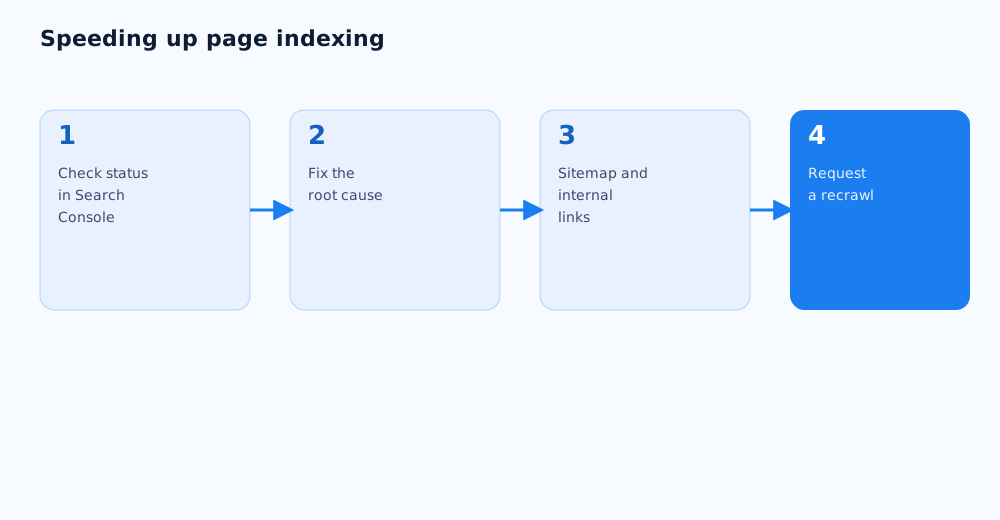
- Check the page's status with the URL Inspection tool in Google Search Console — it shows whether the page is indexed and the reason if it isn't.
- Confirm the page isn't blocked from indexing by robots.txt or a noindex tag.
- Check that the page is in the sitemap.xml and has internal links pointing to it from already-indexed pages.
- Manually request indexing through the same URL Inspection tool — it doesn't guarantee an instant result, but it usually speeds up the crawl.
Below: the detail behind each step, and an honest look at how much time to expect.
02 Checking a page's indexing status
Before trying to speed up indexing, it's worth knowing the page's actual status — guessing from its ranking position isn't reliable, since a page can be indexed but simply not ranking for any query yet.
- The URL Inspection tool in Search Console. The most accurate method: enter the page's URL and Google shows whether it's indexed, when it was last crawled, and any issues blocking indexing.
- The site: search operator. Faster but less reliable — a query like
site:page-urlshows whether the page is in the index, though Google itself notes this doesn't give a complete or precise picture of indexing. - The Page indexing report in Search Console. Shows the status across the whole site at once and groups the reasons why some pages didn't make it into the index.
03 Why a page might not be indexed
The reasons a page stays unindexed fall into a few groups, and Search Console's report usually names the specific one — which saves time on diagnosis.
- The page is technically blocked from indexing. A
noindextag in the page's code, a robots.txt disallow rule, or a canonical tag mistakenly pointing to a different page. - Google decided the page isn't valuable enough. A "Crawled — currently not indexed" status is common for thin or duplicate-feeling content that Google chose not to add to the index.
- The crawler hasn't found it yet. A new page with no internal links and no sitemap entry can go unnoticed for a long time, especially on a large site.
- Technical errors during crawling. A server error, a page that took too long to load, or a JavaScript rendering issue the crawler couldn't work through.
04 How to speed up indexing: what actually works
Some ways to speed up indexing work in almost every case, others only in specific situations, so it's worth working through them in order of impact rather than applying all of them blindly at once.
- Add the page to an up-to-date sitemap.xml — one of the strongest signals to Google that a page exists and is worth crawling. Proper sitemap maintenance is covered in the technical SEO checklist for a website launch or redesign.
- Add internal links to the new page from already-indexed, well-visited sections of the site — the principles behind this are covered in detail in the internal linking guide.
- Make sure the page is genuinely useful and not duplicating content that already exists elsewhere on the site — pages with unique value tend to get indexed faster and more readily.
- Check load speed and rendering — if the crawler can't properly fetch and process the page's content, indexing gets delayed.
05 Requesting a recrawl in Search Console
Manually requesting a recrawl doesn't guarantee instant indexing, but it's still the most direct way to tell Google a page is ready to be crawled.
- In the URL Inspection tool, enter the page's URL and wait for the current-status analysis to load.
- If the page isn't indexed yet, or has been updated, click "Request indexing" — the request puts the page in a priority crawl queue.
- The feature has a daily request limit per account, so it's meant for specific cases — new or updated priority pages, not for bulk-submitting an entire site.
- The official description of the tool and its limits is in Google Search Console's help on the URL Inspection tool.
06 Indexing after a site launch or redesign
After launching a new site or a major redesign, indexing usually takes longer than for a single new page on an established site, because Google is effectively re-evaluating the whole domain.
- Submit an updated sitemap.xml right after launch — it speeds up discovery of every page in one action instead of one at a time.
- If URLs changed, confirm the old ones redirect correctly to the new ones — without redirects, Google can spend a long time indexing duplicates and the accumulated authority of the old pages gets lost.
- Don't submit the entire site page by page for recrawling — prioritise key commercial and landing pages, and let Google find the rest through internal links and the sitemap on its own.
- The full technical checklist for a launch or redesign is in the SEO checklist for a website launch or redesign.
07 How long indexing actually takes
There's no fixed timeline, but there are realistic benchmarks that help avoid panicking too early or waiting indefinitely when there's an actual problem.
- For a page on a site with a solid crawl history and internal links, indexing often happens within a few days.
- For a new domain with no history, or a site Google crawls infrequently, the process can stretch to a few weeks.
- If a page still isn't indexed weeks after every technical factor checks out, it's worth reviewing the content's quality and uniqueness — that's a more common cause than a purely technical delay.
- A general overview of how Google's crawling and site discovery works is in Google's documentation on sitemaps.
If a page is still unindexed after checking every item here, it's often worth a broader technical audit instead of chasing the symptom in isolation — see Grottix's SEO services.
08 FAQ
How long does it take for a new page to get indexed by Google?
For a site with an established crawl history, usually a few days; for a new domain or a site Google crawls infrequently, up to a few weeks. No tool guarantees an exact timeline, but regular crawling and internal links noticeably shorten it.
How do I check whether a specific page is indexed?
The most accurate way is the URL Inspection tool in Google Search Console — it shows the page's status, the last crawl date, and the reason if it isn't indexed. The site: search operator only gives an approximate picture.
What should I do about a "Crawled — currently not indexed" status?
That status most often means Google found the page's content not valuable enough, or too similar to something already indexed. Check whether the page duplicates other parts of the site and add genuinely useful, unique content before requesting indexing again.
Does requesting indexing in Search Console guarantee it'll happen?
No — the request only puts the page in a priority crawl queue, it doesn't guarantee it'll be indexed. If the content doesn't hold up or there's a technical block, indexing won't happen even after a manual request.
Can a site be too new to index quickly?
Yes — new domains usually have less accumulated trust and get crawled less often by Google, so individual pages can take longer to index than on an established site. As the number of indexed pages and links grows, crawl frequency typically increases too.
Does every new blog post need to be submitted for a recrawl?
Not necessarily, if the site has a regularly updated sitemap and working internal linking — Google usually finds new pages through those within a reasonable time. Save the manual request for genuinely high-priority or time-sensitive pages.