
Internal linking is the one SEO lever that needs no budget, no outside platforms, and no waiting on how Google's algorithms react — the links between pages are entirely in the site owner's hands. It is also the one that gets ignored most often, precisely because it produces no fast, visible result — it works slowly, but it touches literally every page on the site at once.
01 Why internal linking matters
Internal links solve a technical problem and a user problem at the same time. Technically, they show a crawler which pages exist and how they connect; without links from other pages on the site, a new post can go unindexed for weeks even if it is listed in sitemap.xml. For a visitor, links are navigation — a way to get from a broad topic to a specific answer in one or two clicks.
Beyond helping new pages get discovered, internal linking does two more things:
- it redistributes accumulated link equity from the most-visited, most-authoritative pages to less visible ones that matter to the business;
- it lowers the bounce rate and increases time on site, because a visitor always has a logical next step to take.
Google's own SEO fundamentals note that a clear link structure helps a crawler cover a site more effectively — more detail is in the SEO starter guide.
02 Principles: from hub pages down and back up
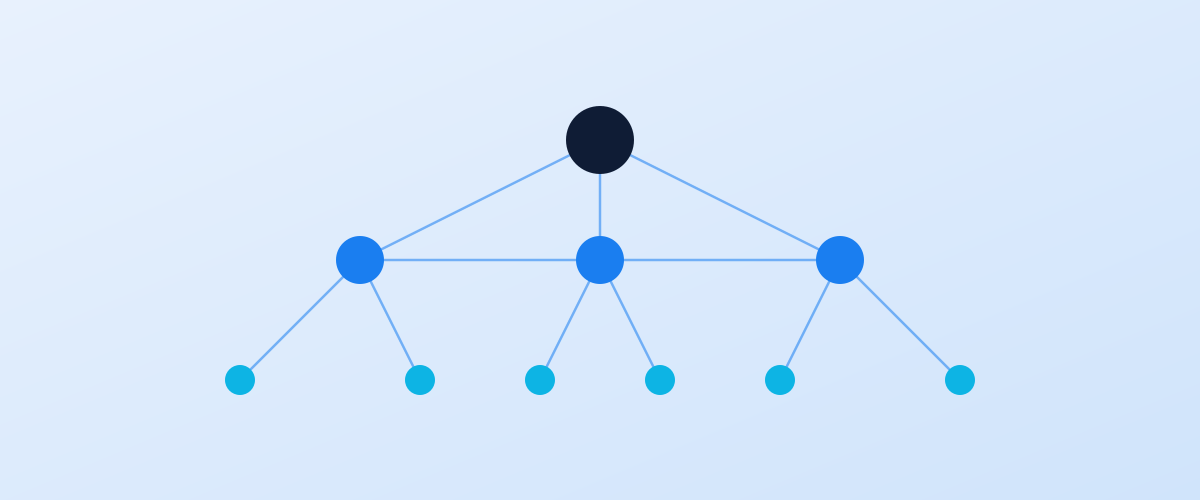
Before placing individual links, it helps to identify which pages on a site act as hubs — the ones that get the most traffic and links and are able to share that equity with the rest. Usually that means the homepage, the key service or category pages, and pillar blog articles.
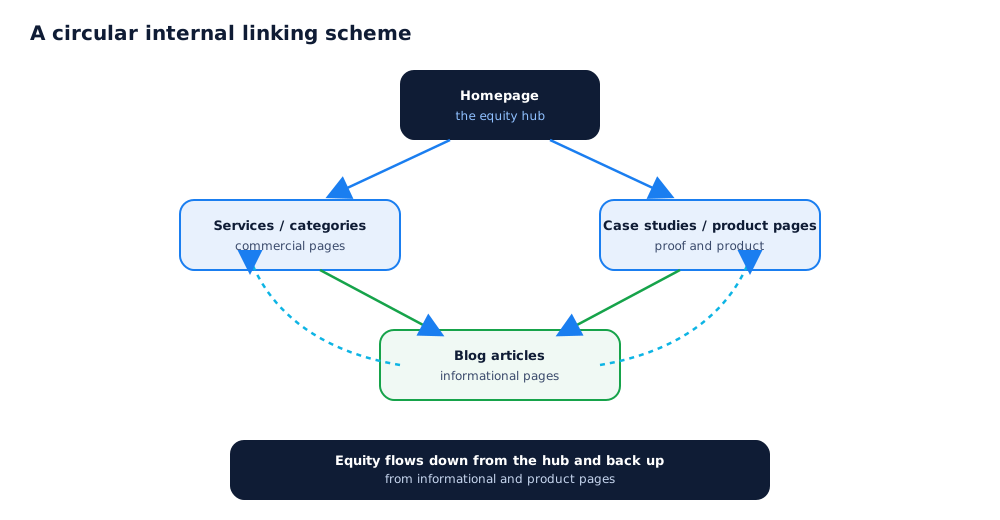
Internal linking runs in two directions at once: down from hubs to narrower, more specific pages, and back up from narrow pages to hubs and commercial sections. How Google actually discovers and connects pages by following links is covered in the documentation on crawlable links.
In practice that looks like this: the homepage and the main menu link to service or category sections; those sections link down to specific subcategories, services, or popular blog posts; blog posts link back up to commercial pages and across to related material on the same topic. That circular flow keeps equity from getting stuck on the same handful of pages.
03 How to choose anchor text
Anchor text — the words a link is wrapped in — tells both a visitor and a search engine what is on the other end. How well the anchor is worded decides whether the link is genuinely useful or just a technical element on the page.
A few practical rules:
- the anchor should describe what is on the destination page, not be a generic "here", "read more", or "click this";
- use different phrasings for links to the same page from different parts of the site — a natural two-to-four-word phrase that fits the sentence it sits in;
- never send the same anchor text to different pages — that confuses both visitors and search engines;
- an anchor should sit naturally inside a sentence, not stand out through capitalisation or excessive formatting.
Using one exact-match keyword anchor everywhere on a site looks unnatural and reads more like manipulation than a courtesy to the reader — even though a link from one page to another remains genuinely useful for navigation on its own.
04 A linking scheme for a services site
For a services site, the linking scheme usually revolves around three page types: commercial service pages, informational blog articles, and case studies with results. The goal is to get a blog reader to the relevant service and case study, and get a visitor on a service page to proof in the form of a case study.
A working setup looks like this: a blog article on a related topic links to the service page and to one or two similar articles on the same theme; the service page links to two or three case studies from a similar industry or task; and the case study links back to the service page and to the article explaining the approach used. That way, every content type has an exit both to commerce and to proof of results.
05 A linking scheme for an online store
An online store's structure is more complex because of the sheer number of similar pages — categories and product pages — which makes internal linking especially important for spreading equity evenly.
The basic scheme connects catalogue levels hierarchically: the homepage links to top-level categories; categories link down to subcategories and product pages, plus cross-links to neighbouring categories with related products; product pages link back to their own category and to blog articles with reviews or buying guides; and blog articles, in turn, link to the specific products and categories the piece covers. The logic of linking filters, faceted navigation, and product pages specifically is covered in more depth in the ecommerce SEO guide.
06 How many links to use per page, and where to place them
There is no hard cap on the number of internal links, but common sense matters more than a formal number: if a page has dozens of links just for the sake of having them, and not because they help the reader, that hurts the page's readability more than it helps its rankings.
A practical guide is a handful of links on a normal content page, placed exactly where they continue the flow of the text, plus navigational links in the menu, breadcrumbs, and footer, which guarantee baseline access to every section from anywhere on the site. Large catalogue pages with hundreds of items are the exception — a high link count there is simply how that type of page works.
07 Finding orphan pages and common mistakes
An orphan page is one with no links pointing to it from anywhere else on the site. Such pages are barely indexed and get almost no traffic, even if they technically exist and are listed in sitemap.xml.
To find them, compare the list of pages from sitemap.xml or the CMS against the list of pages a crawler like Screaming Frog can actually reach by following links across the site; the gap between the two lists is the orphan pages. The Page indexing report in Google Search Console is a good way to extend that check, and the requirements for the sitemap file itself are in Google's documentation.
Beyond orphan pages, an internal linking audit most often turns up: links that only exist in the footer with no mention anywhere in the body text; broken links to pages that were deleted or renamed; and redirect chains, where a link points at an intermediate address instead of the final one. The full technical review process, which internal linking is part of, is covered in the DIY SEO audit checklist — and if doing it alone isn't appealing, this part can be delegated along with the rest of an SEO campaign.
Before building an internal linking scheme for an online store, it helps to make sure keywords for categories, product pages, and filters are mapped correctly and not competing with each other — covered in the ecommerce keyword research guide.
Internal links are one of the main factors that speed up Google's crawler finding a page; more on checking indexing status and what to do if a page still isn't indexed is in how to speed up Google indexing.
08 Frequently asked questions
How many internal links can a single page have?
There is no hard limit, but a reasonable guide is a few dozen links on a normal content page and up to a few hundred on a large catalogue page. Usefulness matters more than the count — if a link doesn't help the reader and is only there for equity, it's better to remove it.
Can the same anchor text be used more than once?
The same anchor pointing at the same page from different places on the site is fine. The problem is when one anchor points at different pages depending on where it appears — that confuses both users and search engines about which page actually answers that query.
Should linking happen through menus and the footer, or only in the text?
Both are needed. Menus and the footer guarantee baseline access to every section from any page on the site, while contextual links inside articles and product pages carry extra relevance and send the reader exactly where it's useful for them right now.
How does internal linking affect how fast new pages get indexed?
Directly. A crawler discovers new pages by following links from pages it already knows about, so a page with zero inbound links can go unindexed for weeks even if it's listed in sitemap.xml. A link from a page that gets traffic almost always speeds up discovery and indexing of a new one.
What should I do with old articles nobody links to anymore?
If the article is still accurate, add 2–3 links to it from newer, better-trafficked material on the same topic. If it's outdated and there's no plan to rewrite it, it's usually better to leave it without active internal links or merge it into a newer piece with a redirect.
Does internal linking help if the site overall gets little traffic?
Yes, and the effect is often more noticeable for a small site: internal linking needs no budget and no external links, it simply redistributes the equity the site already has so it reaches the pages that matter for the business instead of getting stuck on whatever section happens to be more visible.