
A domain and hosting aren't ranking factors in the literal sense, but they form the technical foundation the rest of SEO is built on. Slow hosting increases load time and raises bounce rate, while a poor domain choice makes building a brand and trust harder. Below: how a domain and TLD affect promotion, which hosting type fits a site's size, and what to check when switching either one.
01 Short answer
In short, here are the guidelines for choosing a domain and hosting.
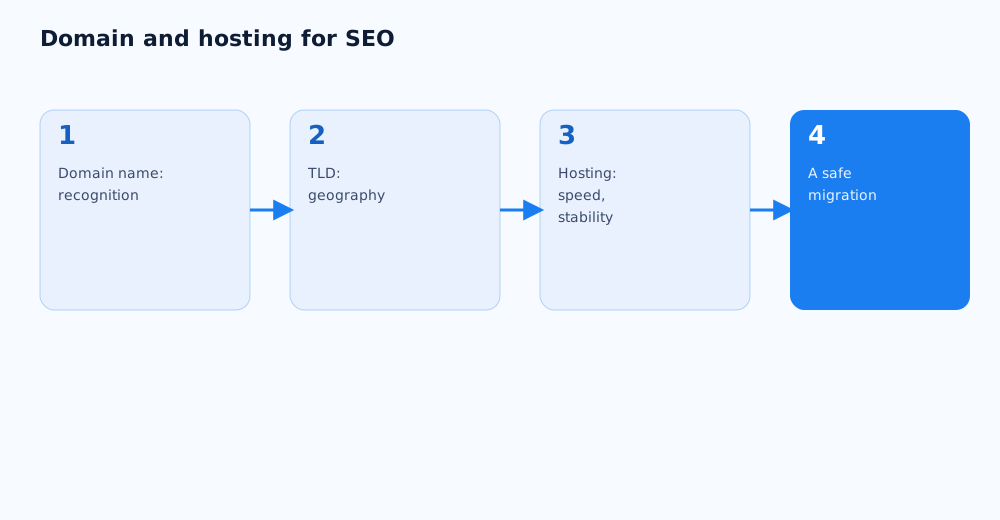
- Domain — a short, easily readable, brand-tied name, without cramming in an exact keyword just for the sake of it.
- TLD — a country-code domain (.ua, .com.ua) for a business focused on one country, or .com for international reach.
- Hosting — chosen against the site's actual load: a quality shared hosting plan is enough for a small project, while a site with meaningful traffic needs a VPS or a dedicated server.
- When switching domain or hosting, proper redirects and an updated sitemap are non-negotiable, to avoid losing rankings already earned.
Below: more detail on each point, and why domain and hosting sometimes get overrated, and sometimes underrated.
02 How the domain affects SEO
The domain has almost no direct effect on the ranking algorithm, but it indirectly touches a few factors that matter for SEO.
- Recognition and click-through in results. A clear, brand-tied domain earns more trust from users in search results than a random string of characters or an overly long name.
- An exact-match keyword in the domain. Years ago, a domain with an exact-match keyword gave a noticeable edge; today that effect is minimal, and domains clearly built around a keyword with no brand tie can come across as less trustworthy to users.
- Domain history. If the domain has been used before, its history is worth checking — spam penalties or suspicious backlinks on it can create problems even after a change of ownership and content.
03 Choosing a domain name
Picking a domain name is a decision that sticks for years, so it's worth weighing more than just whether the name is available.
- A short, easy-to-say name is simpler to remember and pass along by word of mouth — especially important for a business that relies on referrals.
- Matching or echoing the brand name reduces confusion and makes building recognition easier over time.
- Hyphens, numbers, and letter combinations that are awkward to say out loud are worth avoiding — they raise the odds of typos when someone types the address manually.
- If the exact desired name isn't available, it's usually smarter to pick something close but clean than to bolt on random characters just to get an available string.
04 Choosing a TLD
The choice of top-level domain is primarily a signal about geography and business type, not just a registration detail.
- A country-code TLD (.ua, .com.ua) signals clearly to both users and search engines that the site targets a specific region — a sound choice for a business that only operates in Ukraine.
- .com fits when the business plans to operate beyond one country, or when the desired name in the country-code TLD is already taken.
- Newer generic TLDs (.shop, .store, and similar) can be useful when classic options aren't available, but users still trust them intuitively a bit less than the familiar .com or country-code domains.
- Geographic targeting in Google Search Console can and should be configured separately from the TLD, where the site's structure allows for it — more on working with Search Console is in Google Search Console: a complete guide for business owners.
05 How hosting affects SEO
Unlike the domain, hosting affects SEO more directly — through load speed, uptime, and the Core Web Vitals metrics Google factors into how it assesses page quality.
- A slow server response increases load time for both the user and the crawler, which directly shows up in page experience metrics — more in Google's documentation on page experience.
- Frequent outages or downtime don't just annoy visitors — they also get in the way of the crawler regularly scanning the site, which can slow down how quickly the index reflects changes.
- Server location matters for load speed with the target audience — a server physically closer to the site's main audience usually responds faster.
06 Which hosting type to choose
The hosting type is worth choosing based on the site's actual traffic and requirements, not on a "more expensive equals better for SEO" assumption.
- Shared hosting. Fits small brochure sites and blogs with moderate traffic — server resources are split across several sites, so with a quality provider it's a budget-friendly, sufficient option to start with.
- VPS (virtual private server). A sound choice for a site with growing traffic or an online store — gives more stability and configuration control than shared hosting, at a more accessible price than a dedicated server.
- Dedicated server. Justified for large, high-load projects where maximum performance and full control over configuration matter.
- Regardless of hosting type, it's worth confirming an SSL certificate is in place — serving the site over HTTPS has long been a baseline requirement, not an option.
07 What to check when changing domain or hosting
Switching domains or migrating to new hosting is a risky move for SEO if done with no preparation, but losing rankings isn't inevitable with the right approach.
- Changing domains requires page-by-page 301 redirects from the old URLs to the new ones — without them, Google effectively reads the move as the old site disappearing and a new one appearing, with none of the accumulated authority carried over.
- An updated sitemap.xml needs to go out right after the move, to speed up discovery of the new URLs — the full process is covered in the SEO checklist for a website launch or redesign.
- The address change is worth recording in Google Search Console too — it helps Google connect the old and new versions of the site faster.
- A migration is best planned during a period of low site traffic, not the peak of a seasonal sales rush, so the team has room to fix unexpected technical issues quickly.
If a domain change, redesign, or hosting migration is being planned and keeping the current rankings matters, this work can be planned together with specialists — see Grottix's SEO services.
Even with the right domain choice, the move itself can still go wrong technically — common causes of traffic loss are covered in our domain migration traffic recovery case study.
08 FAQ
Does a keyword in the domain affect Google rankings?
The effect is minimal compared with a few years ago — content quality and the site's technical health play a far bigger role now. A domain built around an exact-match keyword with no tie to the brand doesn't give a noticeable edge today, and can come across as less trustworthy to users.
Is it worth buying an aged domain instead of a new one?
Not necessarily — a domain with a clean history and no past penalties is often safer than a supposedly "bargain" aged domain whose history is hard to fully verify. If going with an aged domain, it's essential to check it for past spam links or manual Google penalties.
How quickly can hosting affect a site's rankings?
If hosting causes frequent outages or noticeably slows page loads, the effect on page experience metrics and user behaviour can show up fairly fast, while the effect on rankings shows up gradually, as Google re-assesses the site's quality. A one-off, short-lived issue usually isn't critical — a persistent one is.
Does each language version of a site need its own server?
No — a multilingual site doesn't need separate hosting per language. What matters more is correct URL structure and hreflang markup, not physically splitting servers by language.
What happens to rankings when moving to a new domain without redirects?
Without proper 301 redirects, Google will most likely read it as the old site disappearing, and the new domain will need to be promoted almost from scratch, losing the accumulated authority of the old pages. That's one of the most common causes of a sharp traffic drop after a poorly planned migration.
How long does it take for rankings to recover after a correct domain migration?
Timelines vary with the site's size and how well the technical work was executed, but with fully correct redirects and a promptly updated sitemap, most rankings typically recover within a few weeks, not months.