

A lookalike audience is a Meta Ads Manager tool that finds new people similar to your existing customers or site visitors, rather than manually picking an audience by demographics and interests. The system analyses the source group's behaviour and finds users with matching characteristics. Below: which data sources work best, how to choose a similarity percentage, and step-by-step setup.
01 Short answer
Three decisions matter most for building a working lookalike audience quickly.
- The data source — an audience of real buyers or high-value leads performs better than all site traffic lumped together.
- The source audience size — Meta requires a minimum of 100 people, but a few hundred or more tends to give a more stable result in practice.
- The similarity percentage — 1% gives the most precise but smallest audience, 5–10% expands reach at the cost of precision; starting at 1–3% is a sensible default.
Below: how these decisions affect the result, and step-by-step setup in the interface.
02 What a lookalike audience is and how it works
A lookalike audience is built on a model that studies the source audience's characteristics — not just demographics, but behavioural signals that aren't visible in manual targeting — and finds users in the selected country with a matching profile. The narrower and higher-quality the source audience, the more precisely the model finds similar people.
Meta's official description of the mechanic is in its help centre article on Lookalike Audiences. The key difference from interest-based targeting: a lookalike audience doesn't require guessing which interest categories to enter manually — the system finds patterns in real customer data on its own.
03 Data sources for a lookalike audience
The quality of a lookalike audience depends directly on the quality of the source data — the more precisely the source audience describes an "ideal customer", the better the result.
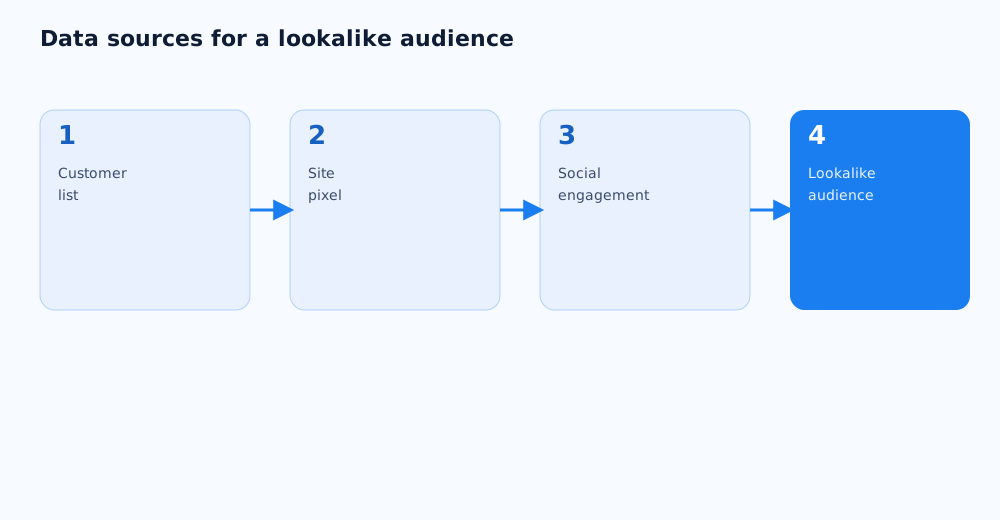
- Customer list. An uploaded list of real buyers' emails or phone numbers — usually the most precise source, since these are confirmed paying customers.
- Site pixel. Visitors who completed a specific action — a purchase, adding to cart, submitting a form; pixel setup is covered in the guide on Meta Pixel and Business Manager.
- Social engagement. People who interacted with the page or Instagram profile — a broader, less precise source than a customer list, but useful when sales data isn't available.
- App installs and usage. Relevant for a business with a mobile app — this source is built from real in-app actions.
A source built from high-value buyers usually produces a better lookalike audience than one built from every site visitor without distinction.
04 Choosing a similarity percentage
The similarity percentage sets the balance between match precision and audience size — the smaller the percentage, the more precisely the model matches people, but the smaller the resulting audience.
- 1% — the most precise audience, closest to the source; a good fit for narrow, precise targeting and small budgets.
- 3–5% — a balance of precision and reach, a solid choice for most campaigns after an initial 1% test.
- 7–10% — maximum reach with a noticeable drop in precision; useful when scale matters more than exact matching.
A sound strategy is to start at 1%, evaluate results after 1–2 weeks of delivery, then gradually widen the percentage if the audience is too small for stable delivery.
05 Step-by-step setup in Meta Ads Manager
Technically, creating a lookalike audience takes only a few minutes, but the result depends on how deliberately each parameter is chosen along the way.
- In Meta Ads Manager, open Audiences and choose Create Audience → Lookalike Audience.
- Pick a source — a customer list, the pixel, engagement, or app activity.
- Choose the country or region to search for a matching audience in.
- Set the similarity percentage — from 1% (more precise) to 10% (broader).
- Give the audience a clear name that notes the source and percentage, to avoid mixing up variants during testing.
- Confirm creation — the audience is usually ready to use within a few hours.
The exact interface may shift slightly with Meta Ads Manager updates, but the underlying logic — source, country, percentage — stays the same. The full steps are in Meta's help centre guide to creating a Lookalike Audience.
06 Lookalike audiences with exclusions and remarketing
A lookalike audience works best not in isolation, but combined with the rest of the campaign structure — especially excluding existing customers and pairing with remarketing.
- Exclude current customers from the lookalike audience — otherwise part of the budget shows ads to people who've already bought instead of finding new prospects.
- Use lookalike audiences for the top of the funnel — introducing the brand — and remarketing, covered in the guide on retargeting and remarketing, to bring back people who've already shown interest.
- Test several lookalike audiences from different sources in parallel — a purchase-based source and an engagement-based source often perform differently in the same niche.
07 Common mistakes when using lookalike audiences
Most problems with lookalike audiences come from the source data chosen, or from unrealistic expectations about the result, not the tool itself.
- A source audience that's too small or random. A lookalike built on 100–150 random site visitors rarely delivers a stable result — it's often better to wait until a higher-quality base has built up.
- Never refreshing the source. A lookalike audience doesn't stay perfectly accurate forever — it's worth rebuilding periodically as the customer base grows.
- Expecting instant results. Like any Meta algorithm, a lookalike campaign needs time to learn — judging its performance is premature before 1–2 weeks of steady delivery.
- Using the same percentage for every task. One similarity percentage doesn't fit both a narrow niche test and a scaling push — those call for different settings.
If there's no time to test sources and percentages in-house, this work can be handed off — see Grottix's paid social services.
Different lookalike audiences are a good candidate for an A/B test — only a real comparison, not a guess, shows which source and similarity percentage actually performs better. How to run a test like that properly is covered in A/B testing ads.
Lookalike is only half the funnel-targeting picture; when remarketing works better than a cold audience is covered in remarketing vs lookalike.
08 FAQ
How many customers do I need to create a lookalike audience?
Meta's technical minimum is 100 people in the source audience, but a stable result in practice more often comes from sources of a few hundred or more. The larger and more precise the source base, the more confidently the model finds matching users.
What similarity percentage should I start with?
It's sensible to start at 1% — the most precise but smallest audience — and evaluate the result after 1–2 weeks of delivery. If reach isn't enough for stable statistics, the percentage is gradually raised to 3–5%, trading some precision for scale.
How is a lookalike audience different from interest-based targeting?
Interest-based targeting requires manually guessing which interest categories to enter, while a lookalike audience is built on real behavioural data from existing customers and finds patterns that are hard to identify by hand. A lookalike audience usually performs better given a large enough data source.
Should current customers be excluded from a lookalike audience?
Yes, that's standard practice. Without the exclusion, part of the ad budget shows ads to people who've already bought instead of finding new prospects, which lowers the campaign's efficiency.
How often should a lookalike audience be refreshed?
There's no fixed schedule, but as the customer or site-visitor base grows, it's worth rebuilding the lookalike audience every few months so it reflects the current buyer profile instead of outdated data.
Can lookalike audiences be used for B2B?
Yes, but performance is usually lower than in B2C, because business decision-makers are a less uniform group and harder to describe through a demographic and behavioural model. In B2B, a lookalike audience more often works as a supporting source of traffic than a primary one.