

01 Short answer: who YouTube ads are for
YouTube ads run through the same interface as standard text campaigns — video campaigns are set up in Google Ads, and there's no separate YouTube advertiser dashboard. The format fits a business that has something worth showing: a service, a product in action, or a brand story that's hard to convey with a static image or plain text.
Below: which formats are available, which businesses get real results from this channel, how to set up a campaign from scratch, and which metrics show whether the ad is paying off rather than just running with no effect.
02 YouTube ad formats
YouTube video ads come in several formats, and they differ not just in video length but in billing logic and where they show up.
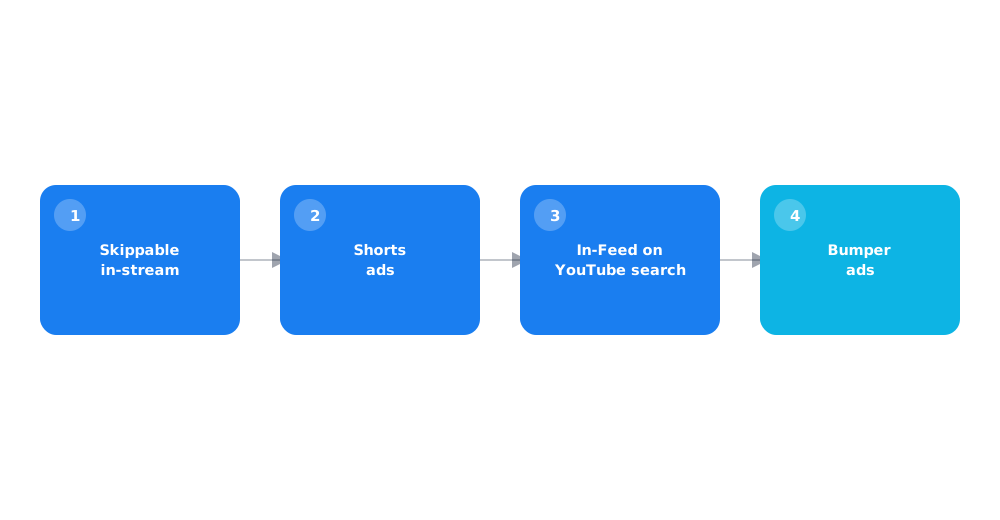
- Skippable in-stream ads. Play before, during, or after someone else's video; viewers can skip after 5 seconds — billing is usually per completed or clicked view, not per impression.
- Non-skippable ads. Short, must be watched in full; good for brand awareness, but cost more per contact.
- In-Feed ads. Show up next to related videos, in YouTube search results, or on the mobile app homepage — a click leads to watching the video itself.
- Shorts ads. Show between short vertical videos; formatted either as a standard ad or a short adapted for a vertical screen.
- Bumper ads. Very short, non-skippable, up to 6 seconds — used for frequent, brief brand reminders.
Setting up a campaign means picking one of the video campaign objectives — sales, leads, website traffic, or reach and engagement on YouTube — and that choice determines which formats and bidding strategies become available.
03 Which businesses it fits, and which it doesn't
Video isn't a universal replacement for text and image formats — it's a separate tool with its own logic for when it works.
- businesses where showing the product in action matters — repairs, equipment, services with a visible process;
- brands that need to tell a story or build trust through a human face, not just ad copy;
- projects with ready video assets or a budget to produce them — without that, running the format loses its point;
- businesses that have already covered the basics (Search, social) and are looking for incremental reach, not a first channel from zero.
For a business with no budget for filming and editing, or a narrow B2B niche with a very small pool of potential customers, YouTube video ads can end up being an inefficient way to spend a budget — more targeted formats, covered in AI in PPC, including automation for Search and Shopping campaigns, tend to work better there.
04 Setting it up in Google Ads: step by step
Technically, a video campaign is created the same way as any other in Google Ads, with a few steps specific to video.
- Upload the finished video to YouTube (even unlisted, as an unpublished video) — a campaign can't be created without an uploaded video.
- Create a new campaign in Google Ads, choose a goal (sales, leads, traffic, awareness), and pick the "Video" type.
- Pick a specific format — skippable in-stream, In-Feed, Shorts, or a combination through a video action campaign if the goal is direct user action rather than just reach.
- Set up targeting by audience, interest, or remarketing — the basic targeting logic matches other Google Ads campaigns.
- Set a budget and bidding strategy, launch, and watch the first results for at least a week or two before drawing conclusions.
If a Google Ads account is being set up for the first time, the basic steps are covered in how to set up Google Ads yourself — a video campaign gets added to the same account, no separate signup needed.
05 Budget and cost per view
The cost of YouTube ads for a Ukrainian business depends on the auction — competition for a specific audience, seasonality, and format — and there's no single universal figure without running a test campaign in the actual niche.
The useful benchmark isn't an absolute cost per view, but a minimum test budget large enough to gather real statistics: a few thousand impressions and dozens of conversions before deciding to scale up or shut a campaign down. Too small a test budget almost never produces enough data for a fair read on whether the format works.
06 How to measure results beyond views
Views and cost per view are top-of-funnel metrics that say nothing about impact on sales. A fair assessment needs to go deeper.
- audience retention — whether viewers watch at least halfway or drop off in the first few seconds;
- conversions tracked through Google Ads, not just clicks on the video;
- the effect on branded search demand — a rise in direct and branded queries after the campaign launches;
- assisted conversions — cases where someone saw the video but bought later through a different channel.
Setting up the conversions this assessment relies on needs properly working analytics — the basic setup is covered in Google Analytics 4 from scratch.
07 Common launch mistakes
Most disappointing video ad launches come down to a recurring set of mistakes at the start, not the platform itself.
- Reusing a social-media video with no adaptation. Pacing, format, and length that work for Instagram and for YouTube ads aren't the same.
- No clear message in the first 5 seconds. A viewer can skip a skippable ad almost immediately — the key point needs to land from the first frame.
- Too small a test budget. Not enough data for a fair read, leading to the format getting written off unfairly.
- Judging success by views alone. Cheap views with no link to conversions create an illusion of success that sales don't back up.
YouTube isn't the only placement for multi-format ads; how the Demand Gen format differs from Discovery and Display is covered in Google Demand Gen campaigns.
08 FAQ
Do I need a separate account to advertise on YouTube?
No, video campaigns are set up in the same Google Ads interface as text and shopping campaigns — no separate YouTube advertiser account is needed.
Which YouTube ad format should I start with?
Skippable in-stream ads are the most flexible for testing: billing is usually per completed or clicked view rather than every impression, which lowers the risk of wasting budget.
Can I run YouTube ads without a finished video?
No, video is required — a campaign can't be created without an uploaded video on YouTube. It can be unlisted rather than public, but it has to exist on the platform.
How much do YouTube ads cost in Ukraine?
There's no single universal number — cost depends on the auction, audience competition, and format. It's more useful to set a minimum test budget for a few thousand impressions to get a statistically meaningful read.
How do I know YouTube video ads are actually working?
Look past views and cost per view to configured conversions, audience retention, and growth in branded search demand after the campaign launches.
Do YouTube ads fit a small local business?
Not always — the format needs ready video assets and a test budget. A business with no video content and a very narrow local audience often gets more from Google Ads local campaigns or paid social ads first.