

01 Short answer: what it is and who it's for
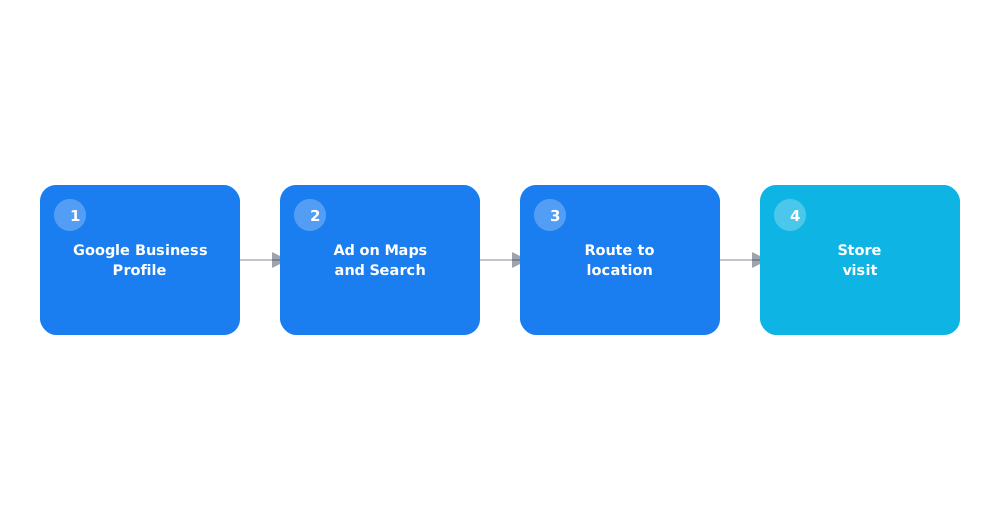
Local campaigns are a distinct Google Ads campaign type that automatically shows ads across Search, Maps, YouTube, and the Display Network with a single goal: getting someone to visit a specific physical location. Google itself describes the format as a way to drive store visits, in-store sales, and local leads, not site traffic. Unlike a standard campaign, where you manually pick keywords and placements, here Google chooses the audience and placement itself, drawing on your Google Business Profile data.
The format isn't for everyone — it was built specifically for businesses with a physical address: stores, cafes, showrooms, service centers. Below: how local campaigns differ from standard ones, what's required to launch, and how to tell if this format makes sense for your business.
02 How local campaigns differ from standard ones
The key difference is the level of automation and a single campaign goal. A standard Search campaign is built around specific keywords and can point to any goal — a form submission, an online purchase, a call. A local campaign is built from the ground up around one metric: a store visit.
- Google decides on its own whether to show the ad on Search, Maps, YouTube, or the Display Network — you can't pick placements manually;
- instead of keywords, the system relies on intent signals — location searches, interests, and behavior tied to visiting similar places;
- a linked Google Business Profile account is mandatory — the campaign simply can't launch without it;
- a minimal set of creative assets: an image, a logo, and a short video, not just text ads.
03 Which businesses it fits
Local campaigns make sense where the purchase decision is reinforced by physical presence: seeing a product in person, trying a service, getting an on-site consultation. It's not a universal tool for every business with an address.
- retail stores and showrooms, where seeing or trying the product in person matters;
- cafes, restaurants, and other on-site visit locations;
- service centers, salons, and clinics customers visit for an appointment;
- multi-location chains, where the ad should route someone to their nearest address.
Local campaigns don't fit an online store with no retail location, or a service delivered entirely online or at the client's own site — classic Search campaigns or Performance Max, covered in the Performance Max guide, work better there.
04 What you need to launch: requirements
Before setting up a campaign, a few required elements need to be ready — Google won't let a local campaign launch without any one of them.
- A verified, fully filled-out Google Business Profile for each location — address, hours, photos, business category.
- At least one high-resolution image and a company logo.
- A short video, at least 10 seconds — if there's no video ready, Google can auto-generate one from images, but a real video usually performs better.
- A linked Google Ads account with billing enabled and the "Store visits and promotions" goal set up.
05 Step-by-step setup
Once the assets are ready, actually setting up the campaign doesn't take long if you follow the steps in order.
- Create a new campaign in Google Ads and choose the "Store visits and promotions" goal.
- Select the "Local" campaign type and connect a verified Google Business Profile account.
- Choose a single location, a group of locations by region, or the entire chain, depending on where the traffic needs to go.
- Upload images, a logo, and video, and write ad headlines and descriptions.
- Set a daily budget and launch — Google handles distributing impressions across Search, Maps, YouTube, and the Display Network from there.
If a Google Ads account is being set up for the first time, the basic steps before creating the campaign itself are covered in how to set up Google Ads yourself.
06 How to measure results
The main metric for a local campaign isn't clicks or impressions — it's store visits, which Google estimates using location signals from users with location history enabled, along with other signals.
This is a statistical estimate, not an exact count — per Google's official description of store visit conversions, the system builds modeled numbers from current and past data on customers who clicked or viewed an ad and later visited the store, rather than counting each visitor directly. It's better to watch how the number trends over time and compare between locations than to treat any single day's figure as precise.
07 Limitations and when it won't work
The format has a few structural limits worth knowing before launch, so the results don't come as a disappointment.
- low transparency — there's no way to see exactly which queries or placements the ad ran on;
- for a location with low foot traffic, the statistical visit estimate can be unstable and not very informative;
- the format doesn't suit a business with no steady local demand — a very narrow B2B niche, for example;
- you give up full control over creatives and targeting — a deliberate trade-off for Google's automation.
If results feel weak after launch, the cause is often basic account issues rather than the format itself — worth checking against the general Google Ads account audit checklist.
08 FAQ
What are Google Ads local campaigns in simple terms?
A distinct campaign type that automatically shows ads on Search, Maps, YouTube, and the Display Network with one goal: getting someone to visit a specific physical business location.
Is a Google Business Profile required to launch?
Yes, it's a hard requirement. A local campaign can't launch without a verified, filled-out Google Business Profile — that's where the system pulls address, hours, and business category data from.
Can I choose exactly where the ad shows?
No, placement selection (Search, Maps, YouTube, Display Network) is fully automated — Google decides where to show the ad to a given user based on their likelihood of visiting.
Do local campaigns fit an online store with no retail location?
No, the format exists specifically to drive visits to a physical place. For an online store with no retail location, classic Search campaigns or Performance Max work better.
How are store visits counted in reports?
It's a statistical estimate based on location signals from users, not an exact visitor count — Google explicitly states the figure is an estimate, not a tally of every visit.
How many store locations do I need to run a local campaign?
You can run one with a single location, but a multi-location chain can either combine locations into one campaign or segment by region, depending on how you want to analyze the results.