
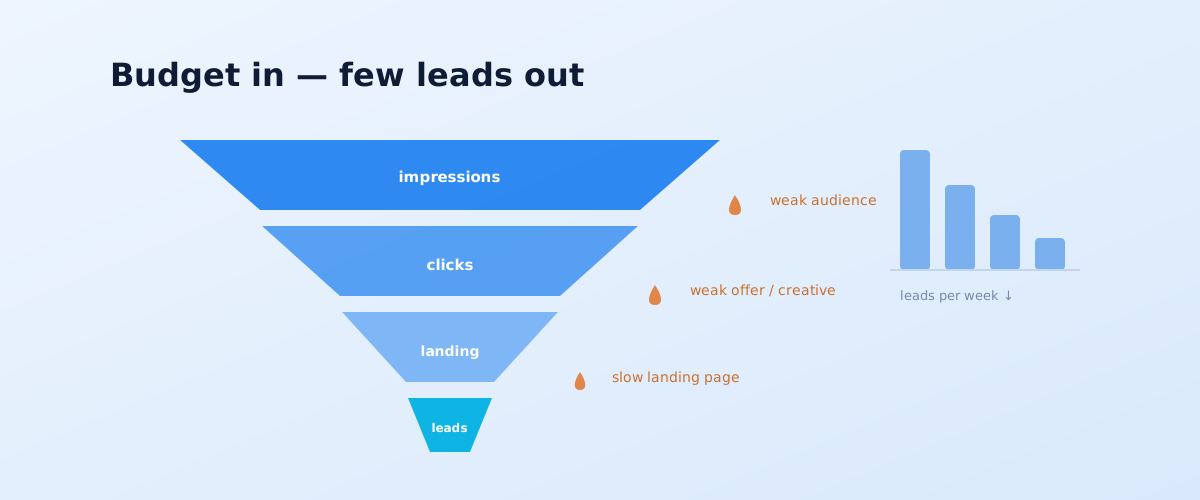
"We set up the ads and there are no leads" is one of the most common complaints about paid advertising on Instagram and Facebook. The problem is almost never that "targeted ads do not work" in general: they fail at a specific point — at the setup, offer, landing page, or the product itself. Below is how to work out in one pass which link is underperforming, a breakdown of 12 typical causes across these levels, and separately the case where the ads were working and then suddenly stopped.
01 The short answer: where to start the diagnosis
The main mistake when troubleshooting paid social is to change creatives or the audience at random right away. That burns budget and yields no understanding. The right order is to move down the funnel from impressions to the sale and find the first stage where the numbers drop. That stage is the cause; anything below it is pointless to fix until the link above is repaired.
- Few impressions or a high CPM → a problem at the level of the audience, budget, bid, or account.
- Impressions are there, but CTR is low → a problem in the offer and creative, or the audience is irrelevant.
- Clicks are there, but no leads → a problem on the landing page or in the form.
- Leads are there, but no sales → a problem in lead quality, follow-up, or the product itself.
02 How to tell at which stage leads are lost
To make the diagnosis a check rather than a guess, break the path from ad impression to sale into five stages and compare your numbers against them in turn. The first stage where the conversion rate is sharply below what you would expect is the bottleneck. The diagram below shows these stages and which causes are responsible for each.
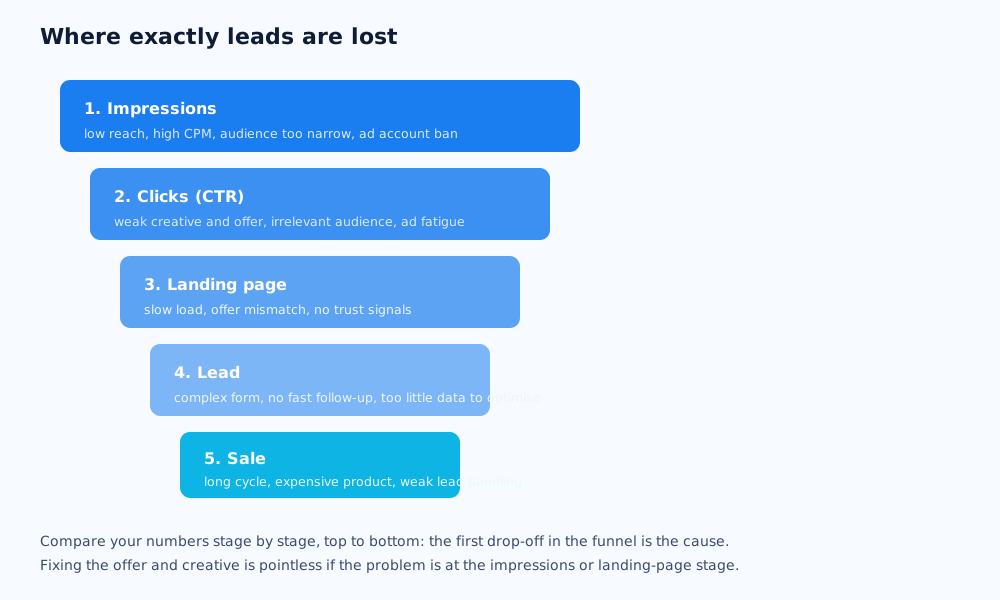
In practice it looks like this: open the campaign stats and look at CPM, CTR, cost per click, landing-page conversion, and cost per lead. Compare them against benchmarks that are reasonable for the niche. If CPM is fine but CTR is low, you do not need to go further down the funnel — the cause is already found. This approach saves weeks of blind testing.
03 Causes at the setup and strategy level
This is the most common layer of problems: the ads are technically running, but the system is optimising for the wrong thing or the wrong people. There are four typical causes here, and all of them can be checked in the campaign settings in 10–15 minutes.
The wrong campaign objective
If the campaign objective is "traffic" or "reach", the system brings the cheapest clickers rather than people who will submit a lead: it is honestly doing the job it was set. For leads you need the "Leads" or "Conversions" objective with a configured target event. This is the number one reason for "traffic is coming but there are no leads".
The audience is too narrow or too broad
A too-narrow audience (tens of thousands of people, an intersection of many interests) burns out quickly and drives a high CPM. A too-broad one with no signals about who your customer is spreads the budget across irrelevant people. The working range for most niches is hundreds of thousands of people with 1–2 key parameters, not a dozen.
Not enough data for the learning phase
After launch a campaign goes through a learning phase: the system needs to gather data to work out who to show the ads to. Until it collects around 50 target events per week per ad set, optimisation works poorly and cost per lead swings. The requirements for this stage are described in Meta's help on the learning phase. If the budget is not enough for 50 conversions, use a higher-funnel target event (not "purchase" but "add to cart" or "lead") or consolidate ad sets.
The pixel and analytics
If the Meta Pixel is installed incorrectly, not sending events, or conversions are not tagged, the system optimises blind: it does not know which impressions lead to a submission. Use the diagnostic tools to check that the lead event fires and matches what is set as the campaign objective. Losing some signal due to iOS and consent restrictions is a separate reason for an inflated cost per lead in reports.
04 Causes at the offer and creative level
If the settings are fine and there are still no leads, the issue is what exactly you are showing the audience. There are three causes here, and they account for a low CTR and a high cost per click.
A weak offer
An offer is not the product but a reason to submit a lead right now. "Quality windows straight from the manufacturer" is a description, not an offer. "Free measurement and a price estimate within 1 day" is an offer. If the proposition is no different from a dozen competitors in the feed and gives no reason to act, no creative will carry it.
Creative fatigue and frequency
The audience sees the same banner several times and effectiveness drops: CTR falls, cost per click rises. A frequency above 2–3 over a weekly window is a signal that the creatives need refreshing or the audience needs widening. For a stable result you need a stock of several different creatives and a regular flow of new ones.
No funnel and no warm-up
For low-cost, impulse-purchase products, direct "hard-sell" advertising works. For considered services and expensive purchases, a cold audience barely submits leads on the first touch — it needs a warm-up: useful content, reviews, answers to objections, and only then the offer. The absence of this stage is a common reason paid social "does not work" in niches with a complex product.
05 Causes at the product and market level
Sometimes paid social brings no leads not because of setup errors but because it is the wrong tool for the job. It is important to recognise such cases before spending months of budget trying to "tune" the campaign.
- A long deal cycle. If the buying decision takes weeks and involves several people (B2B, expensive equipment, real estate), paid social is good for the first touch — booking a consultation, downloading a catalogue — but rarely leads to a direct sale. Expecting "purchase" leads from it is a mistake.
- A market that is too small. If your potential customers in the region number a few thousand, any targeting campaign will quickly hit the audience ceiling and the cost per contact will be high. Here, precise channels and working with your database are more effective.
- Demand is already formed and people search for a solution themselves. When a customer has recognised the need and is googling "buy …", it is cheaper to capture them from search — with paid search or organic — than to chase them in the feed. Which to choose for the job is covered in the article SEO vs PPC.
This does not mean paid social is useless in such niches — but its role is supporting, and it should be judged by its contribution to the funnel, not by direct sales from the ad.
06 The special case: the ads were working and then stopped
A situation where a campaign delivered stable leads for months and then, over a week or two, the cost per lead doubled, is diagnosed differently from a cold start. The cause is almost always in one of a few places, and it is worth checking them in order.
- Creative fatigue. The most common cause. Check the frequency and the launch date of the current ads — if the creatives have been running for 4–6 weeks with no refresh, the audience has had enough of them.
- A learning-phase reset. A major edit — changing the budget several-fold, the audience, the objective, the target event — sends the campaign back into learning, and the result dips for a few days.
- Auction seasonality. Before holidays and in the high season more advertisers enter the auction, and CPM rises for everyone.
- A pixel or site issue. After a site or CMS update the pixel may have stopped sending events — the system is optimising blind again.
- Audience overlap or narrowing. Several active campaigns targeting overlapping audiences start competing with each other and driving up the price.
07 A one-day rapid diagnosis
To keep the review from dragging on for weeks, run through a short checklist. It covers most of the causes in this article and gives you a sense of where to dig, in one working day, without changing the campaigns.
- Check the campaign objective: it should be "Leads" or "Conversions", not "Traffic".
- See whether the ad set gathers ~50 target events per week; if not, use a higher-funnel event or a bigger budget.
- Use the diagnostic tool to confirm the pixel sends the lead event and it matches the campaign objective.
- Compare CPM, CTR and cost per click against niche benchmarks — find the first metric that underperforms.
- Check frequency: above 2–3 per week — refresh the creatives.
- Walk the customer path yourself: open the ad on a phone, get to the form, submit a lead. Time the load speed and count the fields.
- Assess the offer honestly: does it give a reason to submit a lead right now, or does it just describe the product?
- Check for restrictions after review and any policy-violation notices in the account.
If after the checklist the cause is not obvious or the problem is systemic — at the level of strategy and channel coordination — it makes sense to bring in specialists. How we build paid traffic together with the site and analytics is described in the services section; why disconnected per-channel contractors get in each other's way is covered in the piece on integrated digital marketing.
Some problems start before launch — at the pixel and event setup stage; how to build the infrastructure right is covered in the article on the Meta Pixel and Business Manager.
One of the most underused levers in paid social is retargeting and remarketing: it closes people who've already visited the site at a low cost per lead.
If the ads aren't working because the ad account got disabled rather than a campaign setting, see what to do about that. And if you're unsure whether social ads are even the right channel for your situation, see this comparison of SEO, SMM, and paid search.
If the problem isn't the setup but the channel itself, it's worth checking whether TikTok ads fit the audience better, and whether it's time to widen reach with lookalike audiences.
08 Frequently asked questions
Why are my targeted ads not bringing leads?
Most often the cause is one of three: the wrong campaign objective (traffic instead of leads or conversions), a weak offer and creative, or the campaign not gathering enough conversions per week to exit the learning phase. A funnel breakdown — from impressions to clicks, the landing page and the lead — helps find the specific cause.
How much budget does paid social need to work?
The benchmark is a budget at which the campaign gathers about 50 target events (leads or conversions) per week, otherwise the system does not exit the learning phase and optimises poorly. The exact figure depends on the cost of the target action in your niche: at a 5-dollar cost per lead that is roughly 250 dollars per week per campaign, plus a buffer for testing. What a paid-social budget is actually made of and what daily minimum counts as workable is covered in how much Instagram and Facebook ads cost.
Why are my paid-social leads expensive?
An expensive lead is a symptom, not a cause. Look at where the money is lost: a high CPM points to an audience that is too narrow or a weak creative, a low CTR to an irrelevant offer, many clicks with no leads to a problem on the landing page or in the form. Fix the first link in the funnel that underperforms.
The ads were working and then suddenly stopped — why?
Usually it is creative fatigue and rising frequency on the same audience, less often a reset of the learning phase after a major campaign edit, an auction shift in a peak season, or pixel issues. The first thing to check is frequency and how long the current creatives have been running.
What to do if Facebook is not spending the daily budget?
Common causes: an audience that is too narrow, a cost-per-result cap set too low, a recent edit that sent the campaign back into learning, or restrictions after review. Widen the audience, remove or raise the manual bid cap, and do not edit the campaign for the first 3–5 days after launch.
My ad account was disabled — what should I do?
Submit a request to review the decision through Meta's help, and do not create new ad accounts from the same details in parallel — that makes things worse. While the review is pending, check the ads and landing pages against the advertising policies: a disable is most often tied to wording in the creatives or the content of the site.